
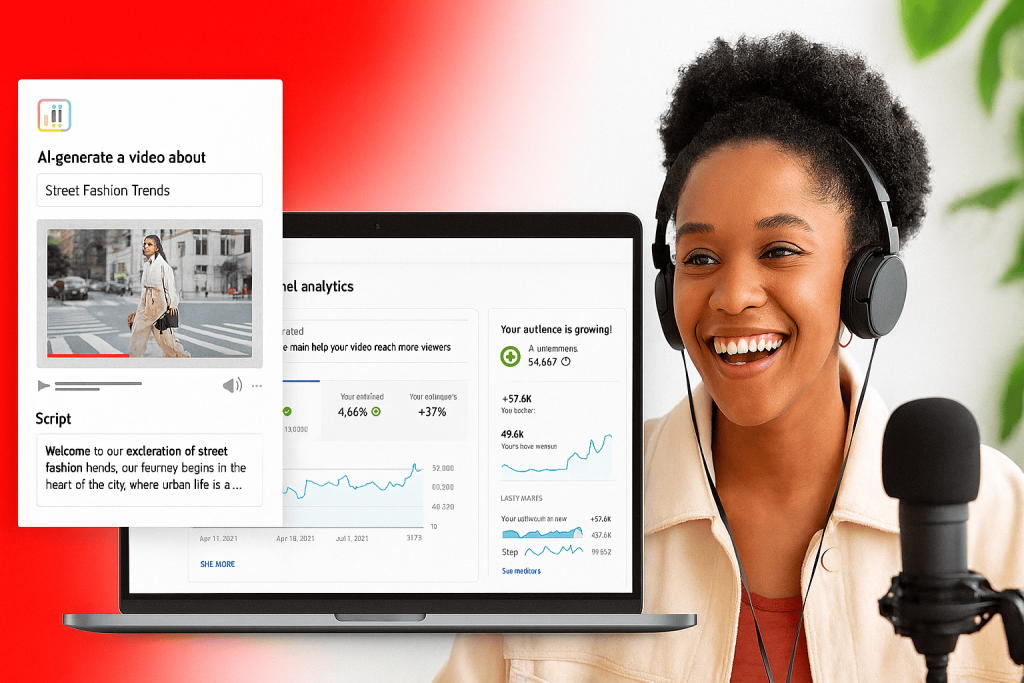

The creator economy has never been more dynamic, and YouTube continues to lead the charge with innovations that empower millions of voices worldwide. At Made on YouTube, the platform unveiled a suite of new tools inside YouTube Studio designed to transform the way creators ideate, analyze, and share their work. From AI-powered assistants to advanced collaboration features, these updates mark a turning point in how creators interact with their audiences and grow their channels.
This article dives deep into each new feature, explores its potential impact, and offers practical strategies for creators to maximize these tools.
1. Ask Studio: Your AI-Powered Creative Partner
One of the most groundbreaking announcements is Ask Studio, an AI-driven conversational assistant built directly into YouTube Studio.
- What it does: Ask Studio allows creators to query their analytics in plain language. Instead of digging through charts, you can simply ask:
- “Catch me up on how my last video is performing.”
- “Tell me what my community is saying about my editing style.”
- Why it matters: This tool bridges the gap between raw data and actionable insights. For creators who may not be data-savvy, Ask Studio translates complex metrics into clear recommendations.
- Strategic advantage: By offering personalized insights based on your channel’s performance, Ask Studio becomes more than a dashboard—it’s a creative coach. Imagine having a strategist on call 24/7, helping you refine your content direction.
Pro Tip: Use Ask Studio weekly to identify trends in audience engagement. If viewers consistently comment on pacing or editing style, you can adjust future videos accordingly.
2. Inspiration Tab: Fueling the Creative Spark
Coming up with fresh ideas is often the hardest part of content creation. YouTube’s revamped Inspiration Tab aims to solve this.
- How it works: Each prompt generates nine new ideas, complete with insights into why they might resonate with your audience. You can combine suggestions, tweak them, or build entirely new directions.
- Audience-driven insights: The tab doesn’t just throw random ideas—it leverages audience behavior data to explain why a topic could perform well.
- Impact: This feature democratizes creativity. Whether you’re a seasoned creator or just starting out, you’ll have a steady stream of inspiration tailored to your niche.
Pro Tip: Treat the Inspiration Tab as a brainstorming partner. Use it to plan monthly content calendars, ensuring you balance trending topics with evergreen content.
3. Title A/B Testing: Optimizing First Impressions
Titles and thumbnails are the front door to your content. YouTube now allows creators to test up to three titles and thumbnails per video, expanding on the thumbnail A/B testing feature that’s already been used over 15 million times since 2023.
- Why it matters: Small tweaks in wording or imagery can dramatically affect click-through rates.
- Example: Testing “10 Easy Fitness Hacks” vs. “Fitness Hacks You’ll Wish You Knew Sooner” could reveal which resonates more with your audience.
Pro Tip: Pair A/B testing with Ask Studio insights. If your audience prefers curiosity-driven titles, lean into that style across your channel.
4. Collaboration Tools: Expanding Reach Through Partnerships
Collaboration has always been a cornerstone of YouTube culture. Now, creators can add up to five collaborators to a single video.
- How it works: The video appears in the feeds of all participating creators, introducing each to new audiences.
- Revenue model: Earnings are attributed to the channel that posts the video, simplifying monetization.
- Impact: This feature formalizes collaborations, making them easier to manage and more rewarding. It’s a win-win for creators looking to expand their reach.
Pro Tip: Use collaborations strategically. Partner with creators in adjacent niches to cross-pollinate audiences without diluting your brand identity.
5. Auto-Dubbing with Lip Sync: Breaking Language Barriers
Global accessibility is a major focus for YouTube. The new auto-dubbing with lip sync feature takes translation to the next level.
- What’s new: Translated videos will now visually match the speaker’s lips with the dubbed language.
- Supported languages: Over 20 languages are included, with testing rolling out in the coming months.
- Impact: This makes content more immersive for international audiences, reducing the disconnect often felt with traditional dubbing.
Pro Tip: If you have a growing international audience, enable auto-dubbing to expand your reach without additional production costs.
6. Likeness Detection: Protecting Creator Identity
As AI-generated content proliferates, protecting creator identity has become critical. YouTube’s likeness detection tool is expanding to all YouTube Partner Program creators.
- What it does: Detects and flags unauthorized videos using your facial likeness.
- Why it matters: This safeguards against impersonation, misinformation, and potential brand damage.
Pro Tip: Regularly monitor likeness detection reports. If unauthorized content appears, act quickly to request removal and protect your reputation.
7. The Bigger Picture: YouTube’s Vision for 2025
These updates aren’t just incremental improvements—they represent a philosophical shift in how YouTube supports creators:
- AI as a partner, not a replacement: Tools like Ask Studio and auto-dubbing enhance human creativity rather than overshadow it.
- Global inclusivity: Features like lip-sync dubbing ensure creators can connect with audiences worldwide.
- Trust and safety: Likeness detection underscores YouTube’s commitment to responsible AI use.
8. Practical Strategies for Creators
To make the most of these tools, consider the following workflow:
- Start with Inspiration Tab → Generate ideas for upcoming videos.
- Consult Ask Studio → Validate which ideas align with audience behavior.
- Produce and Upload → Use Title A/B testing to optimize click-through rates.
- Collaborate → Partner with creators to expand reach.
- Enable Auto-Dubbing → Make content accessible to global audiences.
- Monitor Likeness Detection → Protect your brand identity.
9. Case Study: A Mid-Sized Creator’s Journey
Imagine a fitness creator with 250K subscribers:
- They use the Inspiration Tab to brainstorm “Morning Routines for Busy Professionals.”
- Ask Studio reveals that their audience engages most with short, high-energy content.
- They test three titles:
- “Morning Routine Hacks for Busy People”
- “Start Your Day Right: 5 Quick Tips”
- “The Morning Routine That Changed My Life”
- The winning title boosts click-through rates by 18%.
- They collaborate with a nutrition creator, introducing their channel to a new audience.
- Auto-dubbing allows their content to reach Spanish-speaking viewers, adding 20K new subscribers.
- Likeness detection helps them remove a fake channel impersonating their brand.
This integrated approach demonstrates how the new YouTube Studio tools can accelerate growth.
10. A New Era of Creator Empowerment
The YouTube Studio updates are more than technical enhancements—they’re a declaration of YouTube’s commitment to empowering creators. By blending AI-driven insights, collaborative opportunities, and protective measures, YouTube is ensuring that creators can thrive in an increasingly complex digital landscape.
For creators, the message is clear: embrace these tools, experiment boldly, and let YouTube Studio be your creative partner.