
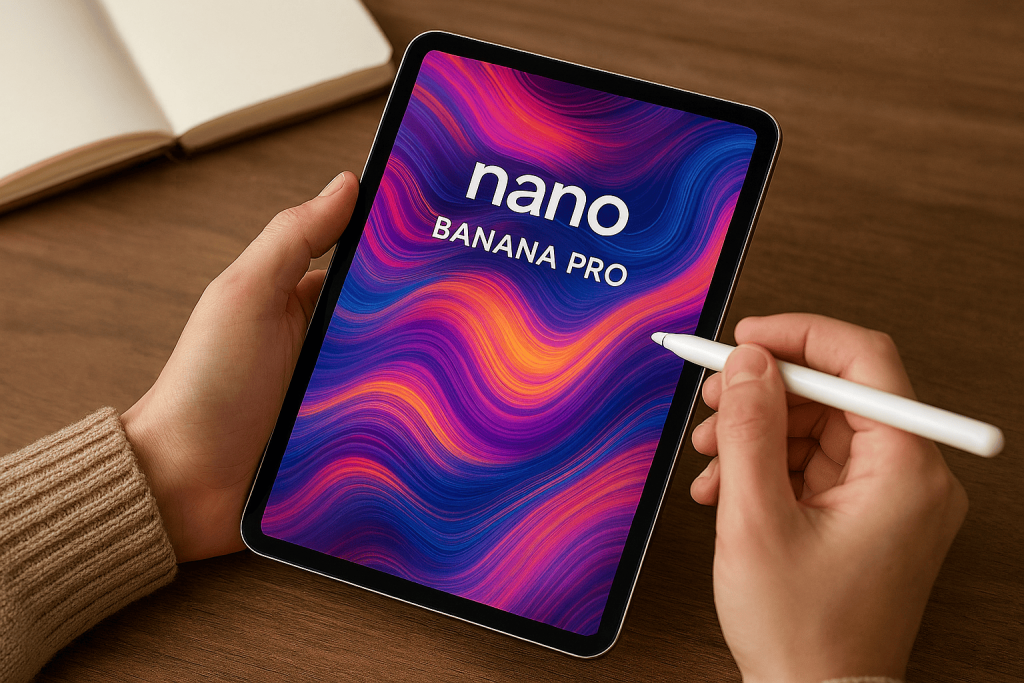

Generative AI has rapidly evolved from producing simple text outputs to creating complex, high-quality images that rival professional design work. Google’s Nano Banana Pro, built on Gemini 3 Pro Image, represents one of the most advanced steps in this journey. With capabilities like state-of-the-art text rendering, multi-image blending, translation/localization, and studio-quality creative controls, Nano Banana Pro is designed to bridge the gap between imagination and execution.
This article provides a comprehensive and deep dive into Nano Banana Pro, exploring its features, prompting strategies, creative applications, limitations, and future potential. Whether you’re a designer, marketer, educator, or technologist, this guide will help you unlock the full power of Google’s latest image generation model.
1. What is Nano Banana Pro?
Nano Banana Pro is Google’s most advanced image generation and editing model to date, integrated into the Gemini app, AI Studio, Vertex, and other platforms. It builds on Gemini 3’s reasoning and world knowledge, enabling users to generate visuals that are not only creative but also contextually accurate.
Read More: Beyond Pixels: How Nano Banana Pro Redefines AI-Driven Visual Creativity
Key upgrades include:
- Text rendering across multiple languages
- Ability to input up to 14 images into a composition (depending on platform)
- Advanced creative controls for camera angles, lighting, and aspect ratios
- Integration with factual constraints for diagrams and educational visuals
2. Establishing the Vision: Crafting Effective Prompts
The foundation of successful image generation lies in prompt design. Nano Banana Pro responds best when prompts include five essential elements:
- Subject: Define who or what is in the image (e.g., “a stoic robot barista with glowing blue optics”).
- Composition: Specify framing (e.g., “extreme close-up,” “wide shot,” “portrait”).
- Action: Describe what is happening (e.g., “brewing coffee,” “casting a spell”).
- Location: Anchor the scene (e.g., “a futuristic café on Mars”).
- Style: Set the aesthetic (e.g., “film noir,” “watercolor painting,” “photorealistic”).
For edits, clarity is key: “Change the man’s tie to green” or “remove the car in the background.”
3. Refining the Details: Camera, Lighting, and Format
Professional-quality results require cinematographer-level detail. Nano Banana Pro allows prompts to specify:
- Aspect ratios: “A 9:16 vertical poster” or “21:9 cinematic wide shot.”
- Camera settings: “Low-angle shot with shallow depth of field (f/1.8).”
- Lighting: “Golden hour backlighting with long shadows.”
- Color grading: “Muted teal tones with cinematic grading.”
- Text integration: “Headline ‘URBAN EXPLORER’ in bold, white sans-serif font.”
- Factual accuracy: “Scientifically accurate cross-section diagram.”
- Reference inputs: Assign roles to uploaded images (pose, style, background).
4. Prompting Examples: Creative Techniques
Nano Banana Pro supports diverse creative workflows:
- Text Rendering: Generate posters, infographics, and product mockups with sharp, legible text.
- Real-World Knowledge: Use Gemini 3’s reasoning to create historically accurate visuals or scientific diagrams.
- Translation & Localization: Adapt posters into multiple languages for global campaigns.
- Studio-Quality Control: Direct lighting, focus, and grading for professional-grade visuals.
- Resizing with Precision: Generate crisp outputs at 1K, 2K, or 4K resolution.
- Image Blending: Combine up to 14 images while maintaining character consistency.
- Brand Identity: Apply logos, patterns, and artwork seamlessly to 3D objects and packaging.
5. Real-World Applications
Nano Banana Pro’s versatility makes it valuable across industries:
- Marketing & Advertising: Create campaign visuals, localized ads, and product mockups.
- Education: Generate accurate diagrams, historical reconstructions, and multilingual learning materials.
- Entertainment: Storyboards, concept art, and cinematic scene generation.
- Healthcare: Visualize medical processes or patient education materials.
- E-commerce: Render product images with consistent branding and style.
6. Current Limitations
Despite its power, Nano Banana Pro has areas for improvement:
- Text fidelity: Small fonts and complex spellings may render inaccurately.
- Factual accuracy: Diagrams and data-driven visuals require verification.
- Translation: Multilingual outputs may contain grammar errors or cultural mismatches.
- Complex edits: Blending and lighting changes can produce artifacts.
- Character consistency: Features may vary across edits.
7. Best Practices for Prompting Success
To maximize results:
- Be specific: Include subject, action, location, and style.
- Think like a director: Add camera angles, lighting, and aspect ratios.
- Use references: Upload images to guide pose, style, or environment.
- Iterate: Refine prompts based on outputs.
- Verify accuracy: Especially for educational or factual visuals.
- Leverage localization: Adapt campaigns for global audiences.
8. The Future of Image Generation with Gemini
Nano Banana Pro is a stepping stone toward fully professional AI design tools. Future iterations will likely improve:
- Text fidelity and multilingual accuracy
- Complex blending and character consistency
- Integration with video generation
- Expanded creative controls for animation and 3D modeling
As these improvements roll out, Nano Banana Pro will become indispensable for designers, marketers, educators, and enterprises seeking scalable, creative solutions.
Conclusion
Nano Banana Pro, powered by Gemini 3, is more than just an image generator—it’s a creative partner. By mastering prompting techniques, refining details, and leveraging its advanced controls, users can produce visuals that are professional, accurate, and globally adaptable.
For marketers, educators, and creatives, this model represents a new era of AI-driven design, where imagination meets execution with unprecedented precision.